

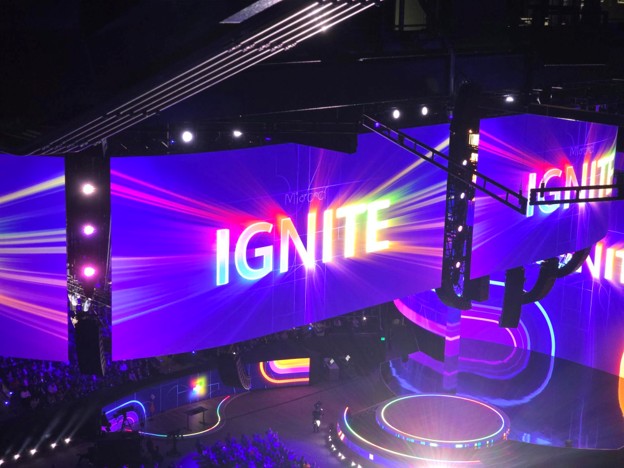
I was at Microsoft Ignite last week. Here is what matters if you run a construction, manufacturing, or professional services firm.
The big idea:
Microsoft wants Copilot to be your work operating system. AI is no longer just a chat box. It is a teammate that works alongside your people. Let me repeat that, ALONGSIDE your people. AI is best used as an assistant, NOT a full-time employee.
Copilot is growing up fast with new features
Copilot Home, which combines Chat, Cowork, and Office in Copilot is now available to Microsoft 365 Copilot users. Word, Excel, and PowerPoint edits can now happen directly next to your Copilot chat in real time. Copilot Code is expected to reach general availability in the coming weeks.
Copilot Workspaces replaced Copilot Notebooks. It gives your people and your AI agents one shared space with shared context. No more jumping around to different pages and re-inputting the same instructions/context every chat.
Autopilot is an agent that keeps recurring tasks moving without constant instructions. Freeing you and your team up for higher level work. Autopilot is rolling out to Frontier customers first.
Seven new Microsoft AI models
Microsoft built its own family of MAI models, aimed at getting strong results without huge token bills.
- MAI Code 2 and Code 2 Flash: Built for everyday coding. Both work in GitHub Copilot. Flash is the lighter version for small edits and routine fixes.
- MAI Cyber 2 Flash: A security model built for Microsoft’s security products.
- MAI Image 2.7 and Image 2.7 Flash: Image generation and editing. Artificial Analysis ranks Image 2.7 first for image editing. It costs about $35 per 1,000 images, and Flash costs about $10.
- MAI Realtime 1: Microsoft’s first voice-to-voice model, starting at $0.01 per audio minute.
- MAI Transcribe 2 a speech-to-text model built by Microsoft AI that transcribes audio across 60 languages, word-level timestamps, and domain keyword biasing
- Decision 1.1: Now generally available. It handles the small routing and sorting calls that agents make all day. Returning probability scores for fixed choices (such as yes/no, multiple-choice, rubric ratings, or abstention options like “cannot tell”) so software can set confidence thresholds.
Security gets agent-aware
Microsoft Perception is now generally available. It uses teams of AI agents to help security staff find and respond to threats faster.
On Windows, the endpoint security platform and administrator protection are generally available. Administrator protection lets local admins run as standard users, and Windows Hello approves elevation one task at a time. Windows baseline protection is in preview.
Windows Server 2028
It is in public preview, not a ready to be shipped as a full product quite yet. Server Core now turns on hundreds of security settings from first boot. That is great for security, but older apps and scripts may break. Microsoft has not given a general availability date for this feature yet, but with Windows Server 2025 getting support through 2034, there’s no rush.
What this means for you
Agents that keep working after you close the chat need oversight. Someone has to see what they did and shut them off when the job is done. Microsoft says 50 million agents are already registered in Agent 365, its control plane for governing them. Before you turn this stuff on, get your permissions and data cleaned up.
Want to know which of these fits your business and which can wait?
Call Attain Technology at 401-320-4369 or schedule an appointment with us at your convenience here: Book an Appointment with Attain Technology.
Sources
- Microsoft Copilot Blog
- Microsoft AI, MAI Code 2
- Testing Catalog, MAI models
- Constellation Research
- AV Network
- Free Press Journal
- Jannik Reinhard
- Windows Blogs
- TechRepublic, Windows Server 2028
FAQ
- What were the biggest AI announcements at Microsoft Ignite 2026?
The biggest announcements were Copilot Home, Copilot Workspaces, the Autopilot agent, and seven new Microsoft AI models called MAI. Microsoft also made Microsoft Perception generally available for security teams and released Windows Server 2028 in public preview. The big idea is Copilot as your work operating system, with AI working alongside your people. - What is Copilot Workspaces?
Copilot Workspaces is Microsoft’s new shared space where your people and your AI agents work with the same context. It replaced Copilot Notebooks. Instead of re-entering the same instructions every chat, your team keeps project context in one place. For busy Rhode Island and Massachusetts firms, that means less repeat work and faster answers. - What is Microsoft Autopilot?
Autopilot is a Microsoft agent that keeps recurring tasks moving without constant instructions. Think of it as an assistant that handles the routine work so your team can focus on higher level jobs. It is rolling out to Frontier customers first. Like any agent, it needs someone watching what it does and shutting it off when done. - Should my business upgrade to Windows Server 2028 now?
No, not yet. Windows Server 2028 is in public preview, and Microsoft has not given a general availability date. Its tighter default security settings may break older apps and scripts. With Windows Server 2025 supported through 2034, most construction and manufacturing firms in New England have time to plan the move carefully. - What should I do before turning on Copilot agents?
Clean up your permissions and data first. Agents that keep working after you close the chat need oversight. Someone has to see what each agent did and shut it off when the job is done. Microsoft’s Agent 365 is built to govern them. A local IT partner in Providence or Boston can help you set it up safely.
