

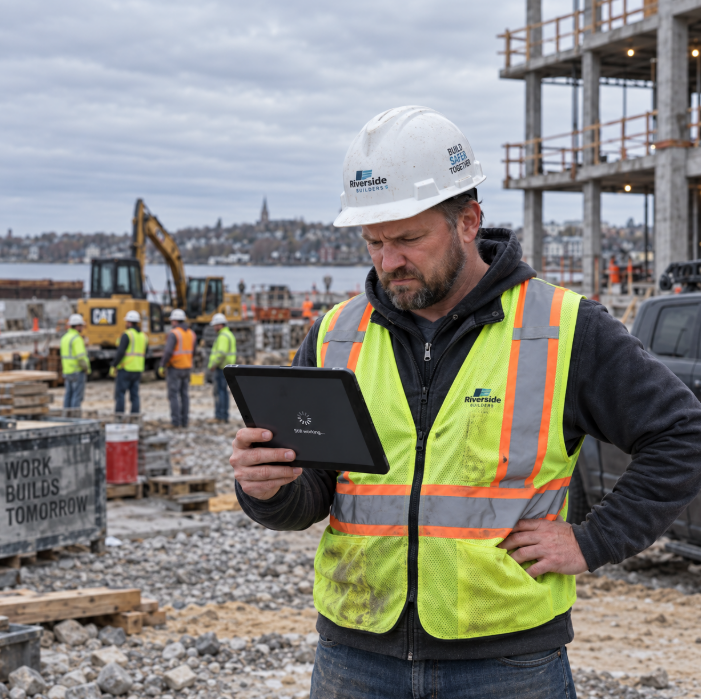
Your project management software freezes for twenty minutes, and at first, nobody panics. That happens sometimes, right? Then you check in with the crew and find out invoices are stuck, RFIs won’t load, and payroll can’t run. Twenty minutes just turned into two hours of paid labor with nothing to show for it, and that’s before anyone calculates what the delay does to tomorrow’s schedule.
Bad data already costs the construction industry billions every year, and downtime is a big part of that story. Research from FMI and Autodesk found that for a contractor with $1 billion in annual revenue, poor decisions driven by bad or unavailable data cost an estimated $165 million.
Scale that down to a 50 or 100-person construction company in Worcester or Framingham, and the number gets smaller, but the pain doesn’t. When your systems go down, you don’t just lose a few minutes. You lose money, trust, and the confidence of the people who work for you.
What Counts as Tech Downtime for a Construction Business?
Tech downtime is any stretch of time when the systems your business depends on stop working the way they should. For a construction company, that means more than your office internet going out. It includes your project management software crashing mid-bid, your accounting system locking up on payday, your email going dark while a permit deadline looms, or your field team losing access to plans because a server in the office is down.
Downtime doesn’t always look dramatic. Sometimes it’s a slow system that makes everyone wait. Sometimes it’s a total outage that stops work cold. Either way, the clock is running, and so is the cost.
How Much Is Downtime Really Costing Your Massachusetts Construction Business?
Downtime costs you money every time it happens, even when it feels minor. Every hour your office staff sits waiting on a frozen system is an hour of payroll spent on nothing. Every delay in getting a submittal out or a change order approved pushes your project timeline back, and pushed timelines cost real dollars in extended equipment rentals, idle crews, and missed milestone payments.
Think about a typical Tuesday. Your office manager can’t process payroll because the accounting software is down. Your project manager can’t pull updated drawings because the file server is unreachable. Your superintendent is standing on a jobsite in Framingham with a crew ready to work, but nobody can confirm today’s material delivery because the ordering system won’t load. None of that is hypothetical. It’s the kind of morning that happens at construction companies across Massachusetts more often than owners like to admit.
- Paid labor sitting idle while systems come back online
- Delayed submittals, RFIs, and change orders that push back your schedule
- Rescheduled deliveries and rental equipment sitting unused
- Overtime costs to make up for lost hours later in the week
None of these show up as a single line item on a bill. That’s exactly why so many construction leaders underestimate how much downtime actually costs them over the course of a year.
Downtime doesn’t just cost you money. It costs you trust, and trust is what wins your next bid.
When a general contractor or property owner can’t reach your office, can’t get a straight answer on schedule, or watches your project fall behind because of a tech problem, they remember it. In an industry built on referrals and repeat clients, that memory matters more than almost anything else.
A missed deadline caused by a system outage looks the same to a client as a missed deadline caused by bad planning. They don’t see the server that crashed. They see a contractor who didn’t deliver. That perception follows you into the next bid meeting, whether it’s fair or not.
Clients in Boston and across Massachusetts are also asking harder questions before they sign contracts. More property owners and general contractors are building technology reliability into their vendor requirements, especially on larger commercial jobs. If your systems go down often enough that it becomes a pattern, it starts affecting whether you get invited to bid at all.
It’s not just your technology that suffers either.
Downtime wears people down. Your office staff spends the day fighting software instead of doing their jobs. Your field crews stand around waiting on information they need to keep working. Your project managers get blamed for delays that were never in their control to begin with. Over time, that frustration adds up.
Good employees don’t want to work somewhere that feels chaotic. If your team spends every week putting out tech fires instead of building, some of them will start looking elsewhere. In a labor market where skilled superintendents and project managers are hard to find and even harder to keep, that turnover risk is not something you can afford to ignore.
Why Does Downtime Keep Happening?
Most construction companies experience repeated downtime because of the same root causes. An underperforming IT provider responds slowly and never gets ahead of problems. An internal “IT guy” is stretched too thin to catch issues before they turn into outages. A hybrid setup with multiple vendors leaves nobody actually responsible when something breaks. Outdated hardware and unmonitored networks fail quietly until the moment they fail loudly.
Here’s a definition worth keeping in mind: proactive IT management means monitoring your systems around the clock and fixing small problems before they become outages, instead of waiting for something to break and then scrambling to repair it. That single difference, proactive versus reactive, is usually what separates construction companies that rarely see downtime from the ones that deal with it every month.
Cybersecurity gaps are part of this picture too. A ransomware attack or phishing incident can take your systems offline for days, not minutes. IBM’s 2025 Cost of a Data Breach Report found the global average cost of a data breach reached $4.44 million, and breaches tied to compromised systems often disrupt the ability to process orders, communicate with customers, and keep operations running while the incident gets contained.
How Do You Stop Tech Downtime from Costing You?
Reducing downtime starts with knowing where your risk actually sits. A real IT assessment looks at your network, your backups, your hardware age, and your current provider’s response time, then tells you honestly where the gaps are. From there, proactive monitoring and fast, reliable support close the gaps before they turn into a Tuesday morning nobody can afford.
- Get 24/7 monitoring that catches problems before they cause an outage
- Confirm your backups actually work, not just that they exist
- Standardize the systems your office and field teams rely on
- Work with a provider who answers the phone and owns the problem, not one who points fingers
Key Takeaways
- Downtime costs construction companies money through idle payroll, delayed schedules, and rescheduled equipment, even when the outage feels short.
- A single pattern of tech-related delays can damage client trust and hurt your chances at future bids.
- Frequent downtime frustrates your office staff and field crews, which raises the risk of losing good people.
- Most downtime traces back to reactive IT support instead of proactive monitoring and maintenance.
Get Ahead of Downtime Before It Costs You Another Project
If your team has lost hours, or a bid, to a tech problem in the last year, it’s worth finding out exactly where your risk sits. Schedule a free IT Assessment with Attain Technology and get a clear, honest look at what’s putting your projects at risk before it happens again.
Why Choose Attain Technology
At Attain Technology, we’ve supported construction companies across Massachusetts and Rhode Island for nearly 20 years. We understand that for you, downtime isn’t an IT inconvenience. It’s lost labor, a delayed schedule, and a client asking questions you don’t have good answers for. Our construction IT services are built around proactive monitoring, fast human support, and managed IT that keeps your office and your jobsites connected. If you’re ready for technology that keeps up with your projects instead of slowing them down, we’d love to talk.
Frequently Asked Questions
What is tech downtime for a construction company?
Tech downtime is any period when the systems your business relies on stop working properly. For a construction company, that includes project management software, accounting systems, email, and file access for field teams. It ranges from a slow system that frustrates your staff to a full outage that stops work and delays your schedule.
How much does downtime actually cost a Massachusetts construction business?
Downtime costs come from idle payroll, delayed submittals and change orders, rescheduled deliveries, and unused rental equipment. Research from FMI and Autodesk found bad data and system problems cost a $1 billion revenue contractor an estimated $165 million a year, and smaller companies feel a proportional hit to their bottom line.
Can tech downtime really affect whether I win future bids?
Yes. Clients remember missed deadlines and slow communication, even if a tech outage caused them. More Massachusetts property owners and general contractors are factoring technology reliability into vendor decisions, especially on larger commercial jobs. A pattern of downtime can quietly cost you invitations to bid.
What is the difference between reactive and proactive IT support?
Reactive IT support waits until something breaks, then scrambles to fix it. Proactive IT support monitors your systems around the clock and catches small problems before they become outages. Construction companies that switch from reactive to proactive support typically see fewer outages and shorter recovery times when issues do happen.
How do I know if my construction company needs a new IT provider?
Signs include slow response times, repeated outages, no clear ownership when something breaks, and backups you’ve never actually tested. If your current provider can’t tell you your last outage’s root cause or your backup’s last successful test date, that’s worth investigating with a free IT assessment.
